
Roofers · Guide
Why Isn't My Roofing Business on Google Maps? (NI Guide)
 By Rank NI · 29 May 2026 Updated 19 June 2026
Part of: SEO for Tradesmen in NI
A storm hits on a Sunday night. By Monday morning every roofer in east Belfast is fielding calls — except the ones who never made it onto Google Maps in the first place. Their phones stay quiet, and a homeowner with a leaking flat roof is already booking the firm three names above them in the pack.
Short answer: your roofing business probably isn’t on Google Maps because your Google Business Profile isn’t claimed, isn’t verified, or has no service area set. Google won’t show a business it can’t confirm is real and located where it says, so until you sort the profile, the post-storm calls go to someone else. Here’s the no-jargon version.
Why isn’t my roofing business showing on Google Maps?
The most common cause is an unclaimed or unverified Google Business Profile, often because the firm is run from a Facebook page and the Google side was never set up. Google won’t list a business in the map results it can’t confirm is real, and for a van-based roofer with no shopfront, that confirmation step is exactly what most NI roofers haven’t completed.
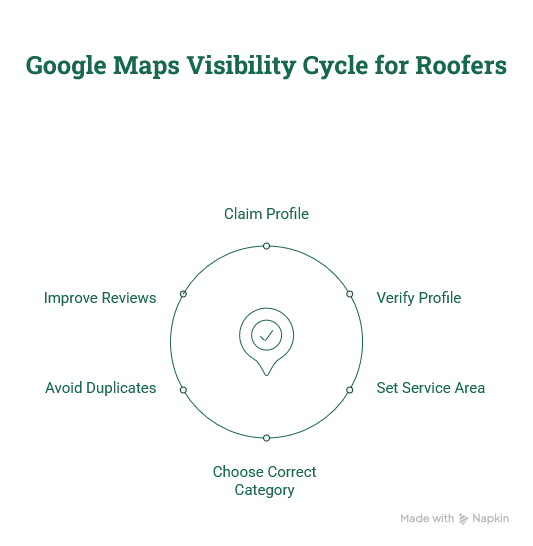
Other common reasons NI roofers don’t show:
- The profile was never created, so there’s nothing to show, a lot of NI roofers run on a Facebook page alone.
- It’s claimed but the service area isn’t set, so Google thinks you only cover one postcode, or none.
- There are two listings (a duplicate), splitting your reviews and confusing Google.
- The category is wrong, it says “contractor” or “builder” instead of Roofing Contractor.
How do I get my roofing business on Google Maps?
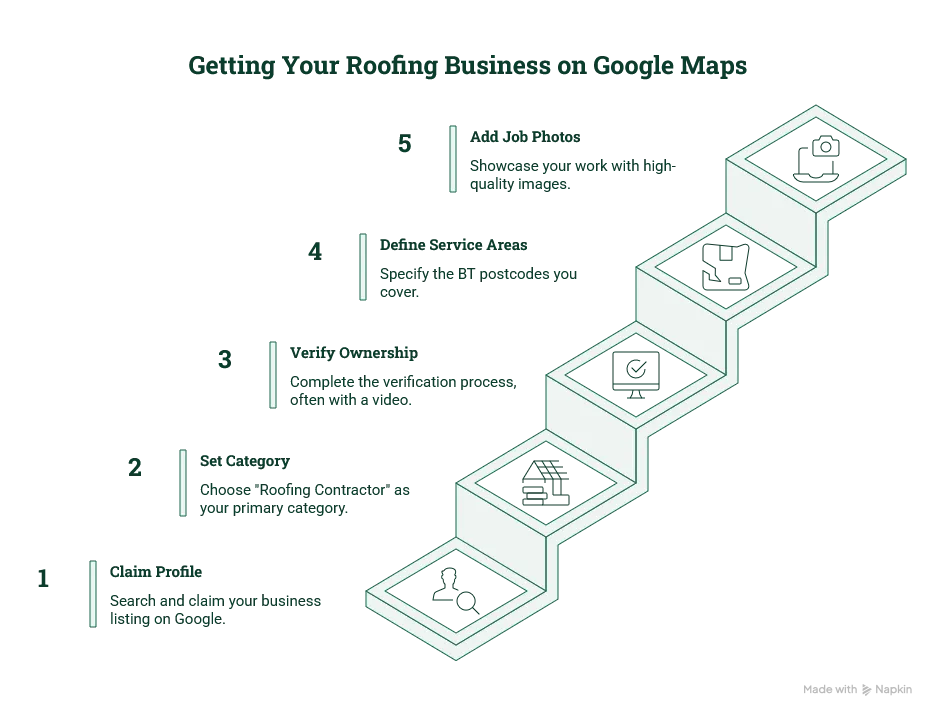
You claim the profile at google.com/business, verify ownership, set your primary category to Roofing Contractor, and add the real BT postcodes you cover. For a van-based roofer with no shopfront, verification is usually a short video of your tools, branded van and work area, Google’s own guidance walks through what the video must show.
The steps:
- Search your business name on Google. If a listing exists, click “Claim this business”. If not, create one.
- Set the right primary category, Roofing Contractor, with secondary categories for the work you do: roof repair, gutter service, flat-roof contractor.
- Complete the verification Google asks for. For a van-based trade, this is usually a video showing your tools, branded van and the area you work.
- Set your service areas to the real BT postcodes you cover, Belfast BT1–BT17, plus Bangor, Lisburn, Newtownabbey, wherever you travel.
- Add real job photos. Roofing is visual, and the customer scrolling the map pack picks the roofer whose work they can see.
What is the map pack, and why does it decide your calls?
The map pack is the box of three businesses with a little map at the top of Google when someone searches “roofer near me” or “emergency roof repair Belfast”. It sits above the normal results and shows your phone number, reviews and distance, so most “found you on Google” calls start there, not on your website, and after a storm the homeowner taps the first credible roofer in those three.
Being on the map isn’t the same as being in those three. Verifying gets you onto the map. To get into the top three you need recent reviews, complete service areas, photos, the right categories and regular activity.
The bit most roofers miss after verifying
Verifying gets you visible. It doesn’t get you to the top. The roofer with a steady trickle of recent reviews and real job photos beats the one with eight reviews from 2022, and the best Belfast firms are well past 300. Reviews, photos, complete service areas and the right categories are what move you up, and they matter most in the post-storm rush.
We cover the full method in Google Business Profile for roofers and the wider SEO for roofers in Belfast. If you want to win the storm work specifically, how NI roofers capture storm damage work goes deeper.
If you’d rather not wrestle with verification yourself, book a free 10-minute audit, we’ll check your listing live and tell you exactly why you’re not showing.